




Google Docs Funeral Program Layout Guide – Helpful Guide & Resources

Welcome to our guide on creating a tasteful funeral program layout using Google Docs. When dealing with the loss of a loved one, the last thing you want to worry about is the technical aspects of designing a program. With Google Docs, you can create a beautiful and personalized program in a simple and straightforward way.

Getting Started

The first step is to open Google Docs and start a new document. Choose a template that suits the tone you want to set for the program. You can go for a simple and elegant design or a more decorative layout depending on your preferences and the personality of the deceased.

Adding Content

Once you have selected the template, it’s time to add the content. Include the name of the deceased, their birth and death dates, and any other personal details you feel are important. You can also include poems, readings, or quotes that hold special meaning.

Remember to keep the layout clean and easy to read. Use headings and subheadings to organize the information and make it more visually appealing.

Customizing the Layout

Google Docs offers a variety of tools to customize the layout of your program. You can change the font style, size, and color to match the tone of the event. Play around with different design elements until you achieve the look you desire.

  • Experiment with different font styles to find one that is easy to read and fits the overall theme.
  • Use images or graphics sparingly to enhance the visual appeal of the program.
  • Don’t overcrowd the layout with text – leave some white space for a cleaner look.

Final Touches

Before finalizing the program, proofread the content to ensure there are no errors. Ask a close friend or family member to review it as well, as they may catch mistakes you overlooked.

Once you are satisfied with the layout and content, save the document and print it on quality paper for a professional finish.

If you’re looking for more tips on creating a funeral program layout using Google Docs, check out our comprehensive guide. You’ll find detailed instructions and helpful insights to make the process easier and more meaningful.

Remember, creating a personalized funeral program is a way to honor and celebrate the life of your loved one. Take your time, add personal touches, and create a program that truly reflects their spirit.

Our thoughts are with you during this difficult time. If you need further assistance or guidance, feel free to reach out to us.

Create a Simple Beautiful Funeral Program in Minutes

Personalize, preview, and download instantly with our easy-to-use Funeral Program Wizard.

Start Now β†’

Our Obituary Resources are changing the way to create

Whether you're drafting your first obituary or looking to create a unique commemoration, our detailed guides, templates, and examples are here to support you every step of the way. Explore the links below to find everything from basic templates to detailed instructions on obituary writing, ensuring that you can honor your loved one with respect and love.

Navigating Grief with Thoughtful Resources

When a loved one passes away, handling the emotional and practical aspects of grief can be overwhelming. At Quick Funeral, we provide comprehensive resources to assist you through this difficult time. Whether you're beginning with understanding how to craft meaningful tributes or need a detailed guide, we're here to support you.

Writing and Understanding Obituaries

Learning how to write an obituary is a valuable skill that honors the deceased and informs the community of their passing. This process involves more than just penning down life facts. For more insights into the nuances, our article on how obituaries are written provides clarity on capturing the essence of a loved one’s life story.

Templates and Samples to Ease the Process

If you're looking for a starting point, our Template of Obituary and Obituary Template for Word are perfect tools to help you get started. These templates are designed to guide you through the structure and content, making the writing process less daunting. For varied examples, check out our comprehensive Obituary Template Sample and Obituary Writing Example, which can inspire you to personalize a memorial that feels true to the spirit of your loved one.

Exploring different formats can also be helpful. Our guide on Obituary Format Example outlines the different ways you can present an obituary, from traditional to more modern approaches. Additionally, for those looking to express sentiments with different phrasing, the Obituary Wording Example can be particularly useful.

Advanced Tools and Creative Ideas

For families preferring to use digital tools, our Obituary Template Microsoft Word is easily customizable. Moreover, those wishing to create a lasting tribute can explore our Obituary Card Template, which offers a tangible memento for funeral attendees.

Memorializing a loved one involves reflecting on their unique life story. To help capture these narratives, we offer resources like the Obituary Tribute Examples and Obituary Announcement Sample, which provide ideas for announcing the passing in a respectful and heartfelt manner.

Further Exploration and Support

For those new to obituary writing or seeking to improve their skills, Template for Obituary and Examples for Obituary offer a deep dive into crafting impactful memorials. Recognizing that each family's needs are different, we also provide resources tailored to specific scenarios, such as Obituary Readings and detailed guides on Obituaries Format.

At Quick Funeral, our goal is to support you through these challenging times with resources that not only guide but also inspire personal and heartfelt commemorations. Whether you're drafting a simple Obituary Template or seeking comprehensive Example of Obituary, our tools are designed to reflect the dignity and life of your loved one. Explore our full suite of resources, including Sample Obituary and Samples of Obituaries for more insights.

For families looking to create a personalized tribute, our Family Obituary Samples provide a touch of personalization that celebrates the unique life of the deceased.

Example of Obituary

When a loved one passes away, writing an obituary can be one of the most challenging tasks. It serves as both a tribute and a vital means of informing others about the loss. An obituary example can help guide you through this emotional process, offering a framework for creating a meaningful and respectful message. A well-crafted obituary typically includes important details such as the person's name, date of birth, date of death, family members, and funeral arrangements. Additionally, a heartfelt obituary often highlights the deceased's personality, achievements, and contributions to their community. Using a thoughtful example of obituary can provide structure and inspiration to create a compassionate and personalized tribute. Whether you’re writing for a family member or a close friend, having a reliable example of obituaries can simplify the process and ensure that the tribute captures the essence of the person’s life. If you're unsure where to start, you can explore various examples of obituaries to find a style that suits the individual's story. For more guidance and examples, visit our Example of Obituary page to find templates, tips, and expert advice on how to write the perfect obituary. We’re here to help you honor your loved one’s memory with grace and dignity.

The Funeral Program is a document that describes important points of funeral or commemoration services. It serves as a guide for organizing and presenting information about the deceased, the order of events, and any readings, prayers, or music that will be included in the service.

Generally, these templates include sections like:

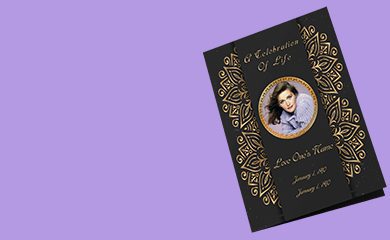
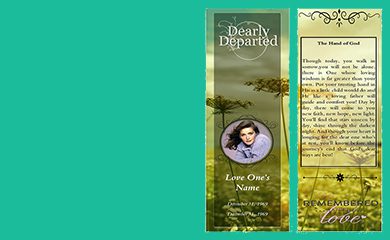
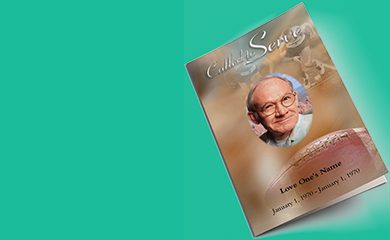
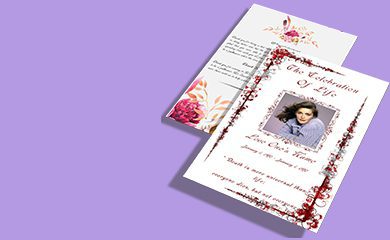
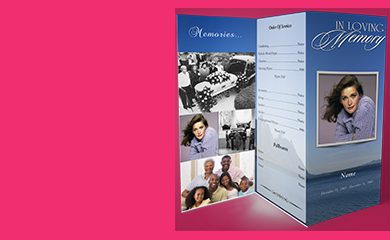
Cover: It displays a photo of the deceased, their name, and important dates like date of birth and death.

Order of Service:  This outlines the sequence of events during the service, including prayers, songs, eulogies, and any other planned activities.

Biography: It includes a brief summary of the life and accomplishments of the deceased, with important milestones, interests, and meaningful relationships.

Photos and Memories: Allows for the inclusion of additional photos, quotes, or memories shared by family and friends.

Funeral Details: Provides information about the location, date, and time of the service, as well as any specific instructions or requests from the family.

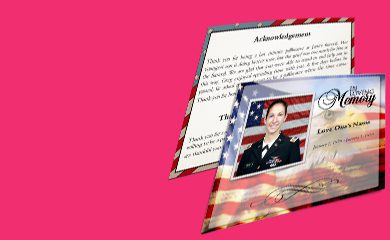
Acknowledgments:  In this, you can express gratitude to those who provided support and assistance during the difficult time.


Are you looking to have a lot of options for choosing free funeral program templates to create funeral programs for your loved one? These templates are available in different sizes. You can select your required size and number of pages to start customizing.

Use free funeral poems to create a good funeral program card. Funeral Card Templates are easy to customize using online drag-drop-based software where you can add unlimited text and images. You can choose from free funeral program background images, funeral sentiments, and funeral ornaments to create a beautiful funeral program using a funeral card template.

Instant Download of your Work

Print anywhere - anytime

Dedicated Live Support

Free Customization Service