
Obituary Programs: Complete Guide to Writing, Designing & Printing
An obituary program is one of the most personal and lasting tributes a family can create for a loved one. It serves as both a practical guide for funeral attendees and a keepsake that preserves a life’s story for generations. Whether you are creating your first obituary program or looking for expert guidance, this complete resource covers everything — from what to write, to how to design and print a beautiful finished program.
QuickFuneral has helped thousands of families across the USA and Australia create meaningful obituary programs since 2017. This guide draws from that experience to walk you through every step with clarity and compassion.
What Is an Obituary Program?
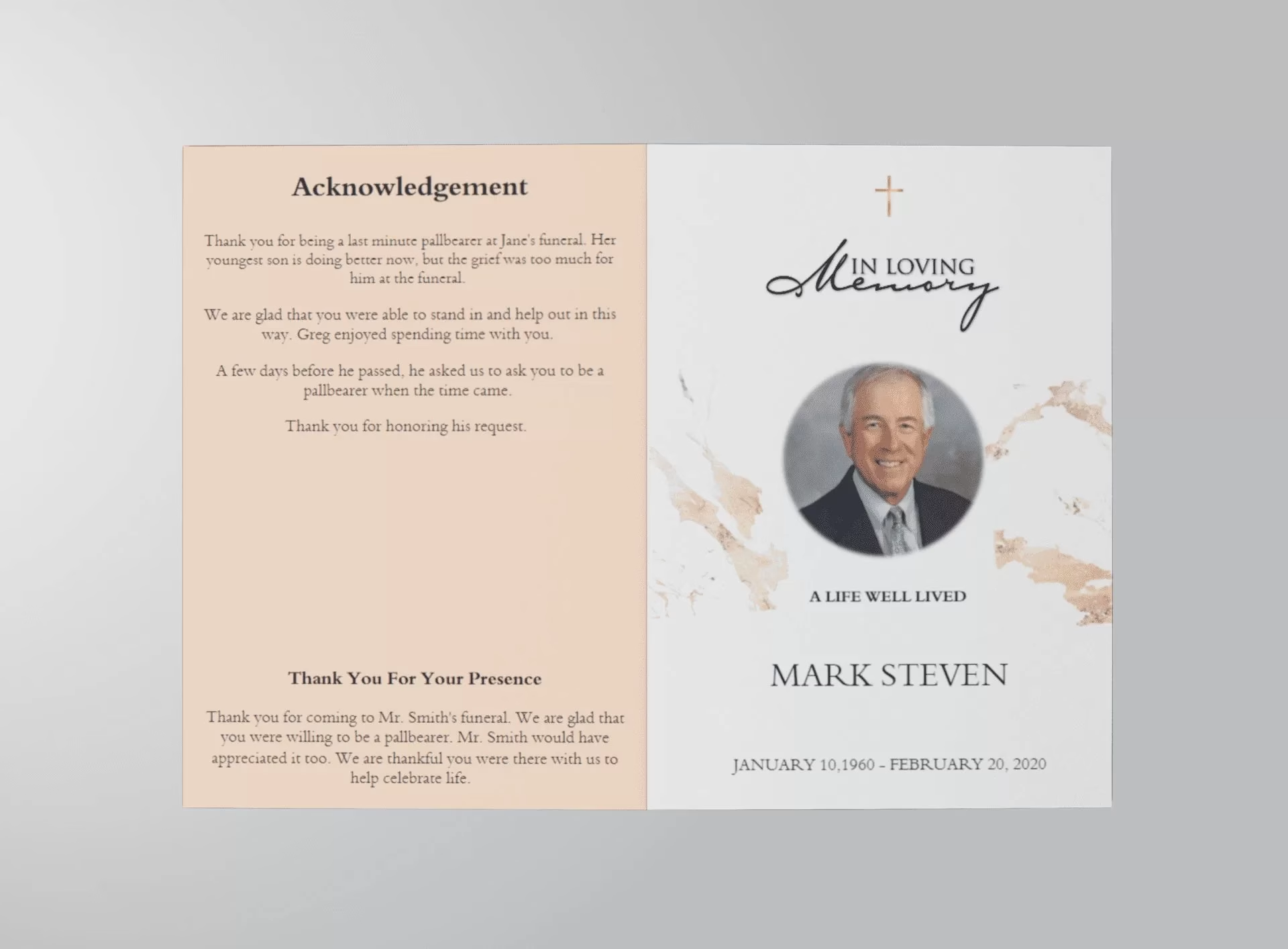
An obituary program (also called a funeral program, memorial program, or order of service booklet) is a printed or digital document distributed to guests at a funeral or memorial service. It combines a written biography of the deceased with the schedule of events for the service.
Unlike a newspaper obituary — which is a brief public notice — an obituary program is far more personal. It is designed to be read at the service and kept forever as a family memento. A well-crafted obituary program tells the complete story of a life: the achievements, relationships, personality, faith, passions, and legacy of the person who has passed.
Key facts about obituary programs:
– Purpose: Guides guests through the service and preserves the memory of the deceased.
– Format: Typically a bi-fold, tri-fold, or multi-page booklet — printed on quality paper or cardstock.
– Contents: Biography/obituary, order of service, photos, family list, readings, and more.
– Who creates it: Usually prepared by the family, funeral home, or a service like QuickFuneral.
– Keepsake value: Attendees take the program home as a lasting reminder of the person they loved.
What to Include in an Obituary Program
Every obituary program is as unique as the individual it honours. However, there is a set of elements that most high-quality programs include. Use this checklist as your starting point when gathering content:
1. Cover Page
The cover is the first thing guests see. Include:
– A favourite photo of the deceased
– Full legal name (and any nickname in quotes)
– Birth date and passing date
– A short meaningful quote, scripture, or title such as “Celebrating the Life of…”
2. Obituary / Life Story
The heart of the program. This is a written narrative covering the person’s birth, upbringing, education, career, marriage, family, faith, hobbies, and legacy. Aim for 200–400 words that feel personal and warm rather than a dry list of facts.
3. Order of Service
A step-by-step outline of the ceremony so guests can follow along. Typically includes: welcome, opening prayer, hymns or music, scripture reading, eulogy, tributes, committal, and recessional.
4. Family Listing
– “Survived by…” — spouse, children, grandchildren, siblings, and other close relatives
– “Preceded in death by…” — parents or others who passed before
5. Photos
Include additional photos throughout the program — childhood, family milestones, hobbies, and candid moments. A collage page is a popular addition.
6. Readings, Hymns, or Poems
Any scripture, poem, or song lyrics used during the service can be printed so guests can participate or reflect.
7. Acknowledgements / Thank You Note
A brief message of gratitude from the family to guests, caregivers, and the funeral home.
8. Service Details
Date, time, and location of the service, including cemetery or reception details if applicable.
9. Inspirational Quote or Bible Verse
A closing thought that reflects the faith or philosophy of the deceased.
10. Funeral Home or Charity Information (Optional)
Contact details for the funeral home, or a note directing donations to a chosen charity in memory of the deceased.
How to Write an Obituary for a Funeral Program — Step by Step
Writing the obituary is often the most emotionally challenging part of creating a funeral program. Breaking the process into clear steps makes it manageable. The goal is to write something accurate, loving, and true to who the person was.
Step 1 — Gather Your Information
Before writing a single word, collect the following:
– Full name, age, date of birth, and date of passing
– Birthplace and places they lived
– Education and career history
– Marriage and family details
– Religious faith or community involvement
– Hobbies, passions, and personal qualities
– Notable achievements or contributions
– Favourite quotes, scriptures, or sayings
Tip: Ask family members and close friends to share a favourite memory or quality. These personal details make an obituary come alive.
Step 2 — Open with a Compassionate Announcement
Begin with a sentence that acknowledges the passing and introduces the person with warmth.
Example: “It is with deep love and sorrow that the family of [Full Name] announces their peaceful passing on [Date], at the age of [Age].”
You may choose to include or omit the cause of death based on family preference.
Step 3 — Write the Biographical Narrative
Move chronologically through the person’s life:
– Where and when they were born, and a little about their early years
– Education and career — what they did and why it mattered
– Marriage, family, and relationships that shaped them
– Faith, community, or volunteer involvement
– Hobbies, interests, and what they were known for
– The qualities and values they will be remembered for
Write in the third person and past tense. Keep the tone warm and personal — this is a tribute, not a résumé.
Step 4 — List Surviving and Preceded Family
Include a clear, carefully checked list of:
– Survived by: Spouse, children (with spouses), grandchildren, siblings, and other close family
– Preceded in death by: Parents, a spouse, or siblings who passed before them
Always double-check the spelling of every name. Errors in this section are deeply felt by families.
Step 5 — Include Service Information and Closing
Conclude the obituary with:
– Date, time, and location of the funeral or memorial service
– Any visitation or reception details
– Donation request if applicable (“In lieu of flowers, donations may be made to…”)
– A meaningful closing line — a scripture, a quote they loved, or a final sentiment from the family
Example closing: “Though our hearts are heavy, we find peace knowing [Name]’s warmth and laughter will live on in all who were blessed to know them.”
Step 6 — Proofread and Review
– Read the obituary aloud — this helps catch awkward phrasing
– Check every name, date, and detail for accuracy
– Share with one or two family members for review and feedback
– Allow yourself to make changes — this is a living document until it goes to print
Obituary Program Wording Examples
The following examples show two common approaches to writing an obituary for a funeral program. Use them as a starting point and adapt the details to reflect your loved one’s unique story.
Example 1 — Traditional Full Obituary (Ideal for Bi-Fold or Booklet Programs)
It is with deep sorrow and abiding love that we announce the passing of Mary Ann Johnson, age 78, of Dallas, Texas, who passed peacefully on March 5, 2025, surrounded by her family.
Born July 20, 1946, in Austin, Texas, Mary was raised in a home filled with faith, music, and a love for learning. She earned her degree in Education from the University of Texas and spent 35 devoted years as a teacher at Sunnyvale High School — touching the lives of countless students who still speak of her with admiration and gratitude.
In 1970, Mary married her college sweetheart, James Johnson, and together they built a life rich in love, laughter, and faith. She was a devoted member of Grace Church for over 40 years, where her voice could be heard each Sunday in the choir. Her garden — particularly her award-winning roses — was her sanctuary, and her home was always open to friends, neighbours, and anyone in need of a warm meal or a listening ear.
Mary is lovingly survived by her husband of 55 years, James Johnson; her children, Michael Johnson (wife Lisa) and Laura Reeves (husband Kevin); four cherished grandchildren; and her sister, Patricia Lee. She was preceded in death by her beloved parents, Robert and Helen Thompson.
A Celebration of Life service will be held on Saturday, March 12, 2025, at 10:00 AM at Grace Church, 1234 Sunset Blvd, Dallas, TX. In lieu of flowers, the family kindly requests donations to the American Cancer Society in Mary’s memory.
“I have fought the good fight, I have finished the race, I have kept the faith.” — 2 Timothy 4:7
Example 2 — Short Obituary (Ideal for Simple Programs or Prayer Cards)
John “Jack” D. Williams, 65, of Seattle, Washington, passed away unexpectedly on January 10, 2025. A lifelong Seattleite, Jack spent 30 years as a master carpenter — a craftsman who took quiet pride in work done well. On weekends, you would find him fishing the rivers of the Cascades or hiking its trails, always happiest in the open air.
Jack is survived by his daughter, Emily Williams, and his brothers Thomas and Gary Williams, along with a wide circle of friends who called him family. A memorial service will be held on January 20, 2025, at 2:00 PM at Evergreen Funeral Home, 789 Pine Street, Seattle. All who loved Jack are invited to share in remembering him.
Jack’s legacy of kindness and his easy laugh live on in the hearts of everyone who had the pleasure of knowing him.
How to Design and Print an Obituary Program
Once your obituary text is written and your content is gathered, it’s time to bring the program together visually. Here is how to design, format, and print a professional-quality obituary program.
Step 1 — Choose Your Program Format
The most common obituary program formats are:
– Letter Size Bi-Fold (8.5 x 11) — The most popular format. Folded in half to create a 4-page booklet. Spacious enough for a full obituary, photos, and order of service.
– Half Letter (8.5 x 5.5) — A smaller, simpler option for shorter services.
– Tri-Fold — Creates six panels for more complex services with many elements.
– Booklet (Multi-Page) — For larger or more elaborate programs with extensive photos or readings.
– Bookmark — A narrow keepsake card that guests can slip into a Bible or book.
Step 2 — Choose a Template
Using a professionally designed obituary program template saves significant time and ensures a polished result. QuickFuneral offers a wide range of editable templates — from classic and traditional to floral, modern, military, and faith-based designs — all ready to personalise online and download as a print-ready PDF.
Step 3 — Personalise the Design
– Upload your chosen photo to the cover
– Replace the placeholder text with your obituary, family list, and order of service
– Adjust font size if needed to ensure all content fits comfortably
– Add any additional photos to interior pages or a dedicated photo collage section
– Choose a design theme that reflects the personality of your loved one
Step 4 — Proofread Before Printing
– Read every line carefully — especially all names, dates, and service times
– Print a single test copy to check layout, photo quality, and colour
– Share the test copy with a close family member for final approval
Step 5 — Print the Final Programs
– At home: Use a quality inkjet or laser printer and print on 80lb or heavier paper stock
– Local print shop: Most copy centres offer same-day or next-day printing at low cost
– Online print service: Upload your PDF for professional finishing and delivery
– Always print 10–20% more copies than expected attendance to allow for late arrivals and keepsake requests
Step 6 — Distribute at the Service
Assign a volunteer to hand programs to guests as they arrive at the entrance. You may also place programs on seats, a welcome table, or a dedicated memory table alongside photos and flowers.
Types of Obituary Programs by Service Style
Obituary programs are not one-size-fits-all. Different services call for different approaches. Here is a quick guide to the most common types:
Traditional Religious Funeral Program
Typically includes scripture readings, hymn lyrics, a prayer, and a formal order of service alongside the obituary. Often uses classic or formal design themes.
Celebration of Life Program
Focuses on joy, gratitude, and personal memories rather than formality. May include favourite photos, quotes, stories, and uplifting poems. Design tends to be colourful and personalised.
Military or Veteran Funeral Program
Features patriotic design elements and may include details of military service, rank, commendations, and the flag presentation ceremony. QuickFuneral offers dedicated military funeral program templates.
Child or Infant Memorial Program
Written with particular tenderness. Often shorter, with gentle design elements such as soft colours, angels, or butterflies. Focuses on the joy the child brought and the love of the family.
Graveside or Simple Service Program
A shorter, single-page or small card format designed for intimate gatherings. Includes the key details without an elaborate layout.
Church or Chapel Program
Typically a formal bi-fold or booklet that matches the structure and traditions of the specific church or denomination.
Obituary Program Templates — Edit and Print Online
QuickFuneral offers a large collection of professionally designed obituary program templates that you can edit online and download as a print-ready PDF — no graphic design experience required. Every template allows unlimited content editing, unlimited revisions, and is available for instant download after purchase.
Browse our templates below and click Quick Edit to begin personalising immediately, or download the Word Template version if you prefer to edit in Microsoft Word.
-
 Sale
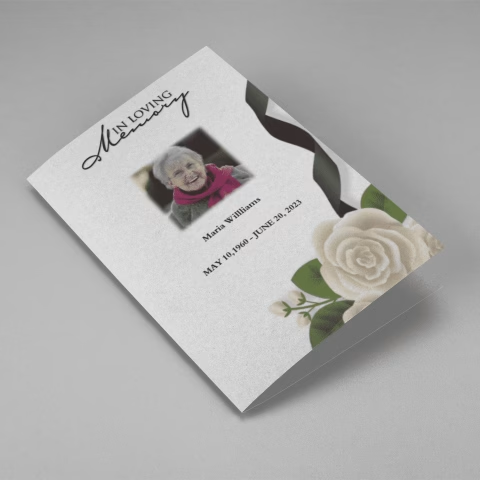
SaleSearching for a White Roses And Black Ribbon Funeral Program Template that is easy to print and has a cutting-edge look? White Roses And Black Ribbon Funeral Program Template is the Perfect decision because it measures 8.5”x 11”.
- No Limitation on Content, Edit anything
- Edit anytime – unlimited revisions even after purchased
- Get a printable PDF downloaded to get it printed on your own
-
 Sale
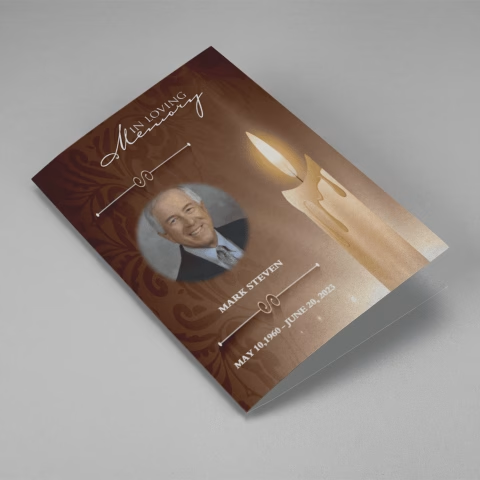
SaleSearching for a Realistic Burning Candle Funeral Program Template that is easy to print and has a cutting-edge look? Realistic Burning Candle Funeral Program Template is the Perfect decision because it measures 8.5”x 11”.
- No Limitation on Content, Edit anything
- Edit anytime – unlimited revisions even after purchased
- Get a printable PDF downloaded to get it printed on your own
-
 Sale
SaleSearching for a Bulltongue Arrowhead Funeral Program Template that is easy to print and has a cutting-edge look? Bulltongue Arrowhead Funeral Program Template is the Perfect decision because it measures 8.5”x 11”.
- No Limitation on Content, Edit anything
- Edit anytime – unlimited revisions even after purchased
- Get a printable PDF downloaded to get it printed on your own
-
 Sale
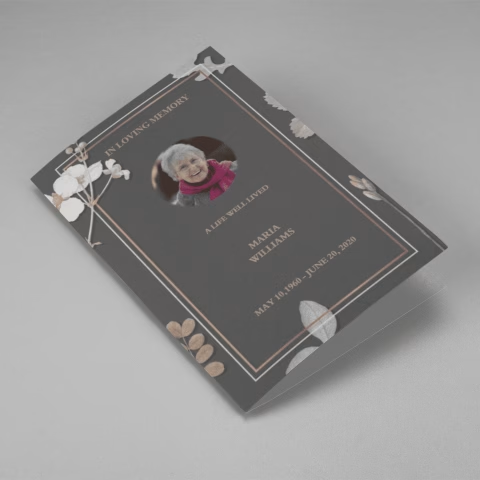
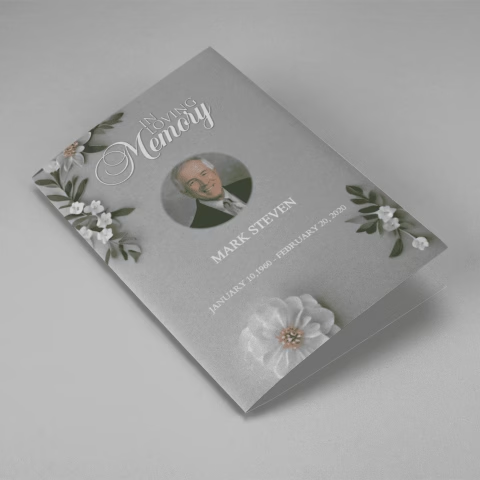
SaleSearching for a Grey Floral White Tiny Flower Funeral Program Template that is easy to print and has a cutting-edge look? Grey Floral White Tiny Flower Funeral Program Template is the Perfect decision because it measures 8.5”x 11”.
- No Limitation on Content, Edit anything
- Edit anytime – unlimited revisions even after purchased
- Get a printable PDF downloaded to get it printed on your own
-
 Sale
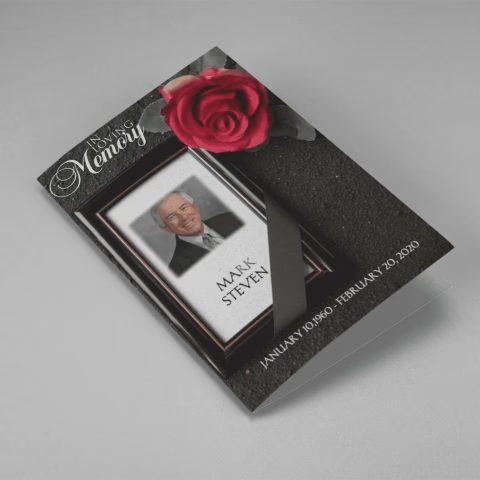
SaleSearching for a Red Flower Dark Soil Funeral Program Template that is easy to print and has a cutting-edge look? Red Flower Dark Soil Funeral Program Template is the Perfect decision because it measures 8.5”x 11”.
- No Limitation on Content, Edit anything
- Edit anytime – unlimited revisions even after purchased
- Get a printable PDF downloaded to get it printed on your own
-
 Sale
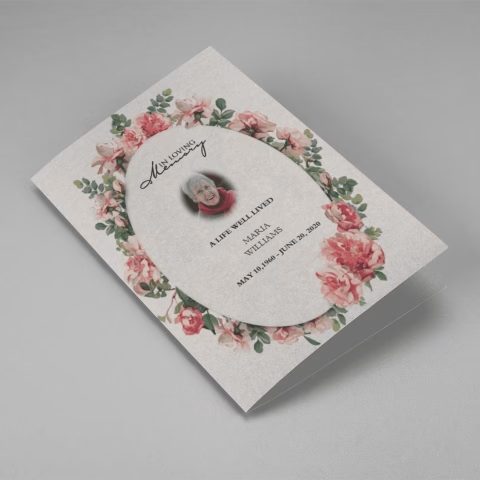
SaleSearching for a Pink Rose Frame Floral Oval Badge Funeral Program Template that is easy to print and has a cutting-edge look? Pink Rose Frame Floral Oval Badge Funeral Program Template is the Perfect decision because it measures 8.5”x 11”.
- No Limitation on Content, Edit anything
- Edit anytime – unlimited revisions even after purchased
- Get a printable PDF downloaded to get it printed on your own
-
 Sale
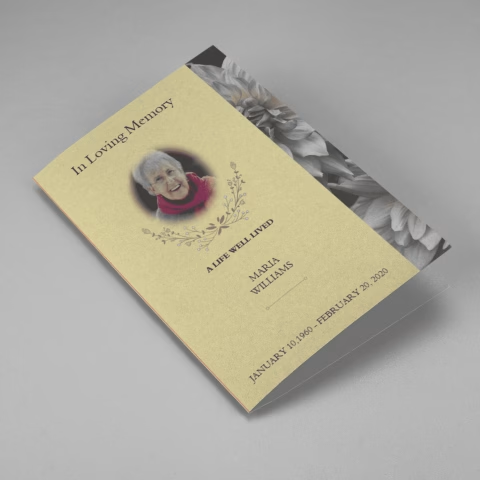
SaleSearching for a Brown and White Classic Funeral Program Template that is easy to print and has a cutting-edge look? Brown and White Classic Funeral Program Template is the Perfect decision because it measures 8.5”x 11”.
- No Limitation on Content, Edit anything
- Edit anytime – unlimited revisions even after purchased
- Get a printable PDF downloaded to get it printed on your own
-
 Sale
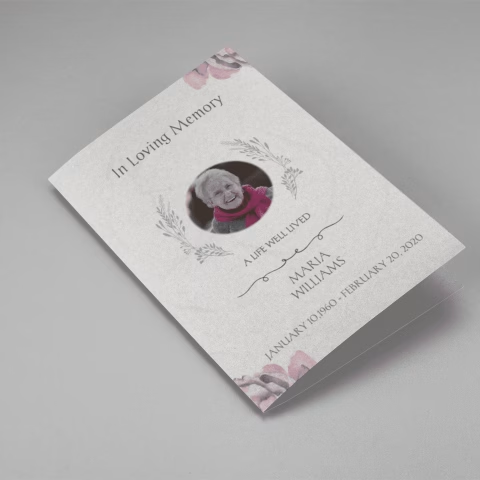
SaleSearching for a Purple Elegant Watercolor Funeral Program Template that is easy to print and has a cutting-edge look? Purple Elegant Watercolor Funeral Program Template is the Perfect decision because it measures 8.5”x 11”.
- No Limitation on Content, Edit anything
- Edit anytime – unlimited revisions even after purchased
- Get a printable PDF downloaded to get it printed on your own
-
 Sale
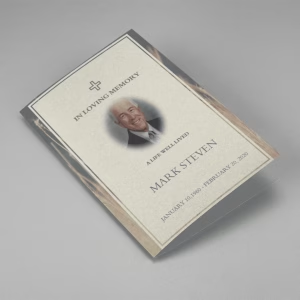
SaleSearching for a Cream and Green Photo Obituary Program that is easy to print and has a cutting-edge look? Cream and Green Photo Obituary Program is the Perfect decision because it measures 8.5”x 11”.
- No Limitation on Content, Edit anything
- Edit anytime – unlimited revisions even after purchased
- Get a printable PDF downloaded to get it printed on your own
-
 Sale
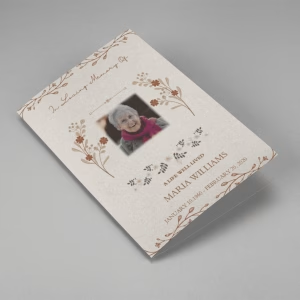
SaleSearching for a Cream Simple Elegant Photo Church Program that is easy to print and has a cutting-edge look? Cream Simple Elegant Photo Church Program is the Perfect decision because it measures 8.5”x 11”.
- No Limitation on Content, Edit anything
- Edit anytime – unlimited revisions even after purchased
- Get a printable PDF downloaded to get it printed on your own
-
 Sale
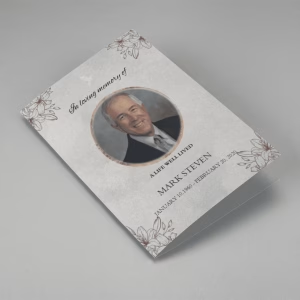
SaleSearching for a Grey Classic Minimalist Funeral Program Template that is easy to print and has a cutting-edge look? Grey Classic Minimalist Funeral Program Template is the Perfect decision because it measures 8.5”x 11”.
- No Limitation on Content, Edit anything
- Edit anytime – unlimited revisions even after purchased
- Get a printable PDF downloaded to get it printed on your own
Tips for Writing a Meaningful Obituary Program
Beyond the structure and steps, here are practical tips drawn from years of experience helping families create obituary programs:
Write in the voice of the family. An obituary program should sound like it was written by someone who loved the person deeply — not like a formal document. Use warm language, and don’t be afraid to mention the little things that made them who they were.
Include at least one specific story or detail. The most memorable obituaries contain something concrete and unique — a hobby, a tradition, a phrase they always used, or something they were known for in the community. These specific details make the tribute feel real and alive.
Don’t rush the first draft. Write a full draft, then step away for a few hours before reviewing. Fresh eyes catch errors and often improve the tone significantly.
Ask for contributions. Invite other family members, close friends, or a pastor or celebrant to share a memory or favourite quality. These contributions often reveal aspects of the person that you might not have thought to include.
Balance grief with celebration. The best obituary programs acknowledge the pain of loss while also celebrating the fullness of a life lived. Let both feelings be present in the writing.
Keep photos high resolution. Photos printed at low resolution look blurry and unprofessional. Use original digital photos or scanned prints at 300 DPI or higher for best results.
Match the design to the person. A quiet, dignified person may call for a classic, understated design. Someone with a love of nature, colour, or a particular faith tradition may be better served by a themed template that reflects who they were.
Why QuickFuneral for Your Obituary Program
Families across the USA and Australia have trusted QuickFuneral since 2017 to help them create beautiful, professional obituary programs during one of life’s most difficult moments. Here is what sets us apart:
– Easy online editor — No design skills needed. Edit text, upload photos, and adjust layouts directly in your browser.
– Instant download — Once your program is complete, download a print-ready PDF immediately. No waiting.
– Unlimited revisions — Make as many changes as you need, even after purchase.
– Wide template library — Dozens of designs including floral, classic, military, religious, celebration of life, and more.
– Free customisation service — Eligible families can apply for complimentary design assistance from our team.
– Dedicated live support — Real people available to help when you need guidance.
– Non-profit mindset — Our mission is to support families in difficult times, not to profit from grief. Fees charged simply support the platform.
Creating a meaningful obituary program is one of the most loving things a family can do in the days following a loss. You are doing something powerful and important — and you do not have to do it alone.
Frequently Asked Questions About Obituary Programs
What is an obituary program?
An obituary program is a printed or digital document created for a funeral or memorial service. It typically includes a written biography of the deceased (the obituary), the order of service, a list of surviving family members, photos, and any readings or hymns used in the ceremony. It serves as both a guide for guests during the service and a lasting keepsake for the family.
What is the difference between an obituary program and a funeral program?
The terms are often used interchangeably. A funeral program refers to the complete service booklet — including the order of events. An obituary program specifically emphasises the written life story (obituary) of the deceased as the central element. In practice, most obituary programs include both the biographical obituary and the service schedule.
How long should an obituary be for a funeral program?
Most obituaries written for funeral programs are between 200 and 500 words, depending on the program size and layout. A bi-fold letter-size program typically accommodates 250–400 words comfortably alongside photos. A short obituary for a prayer card or small program may be 100–150 words.
How do I customise an obituary program template?
With QuickFuneral, you simply choose a template, click Quick Edit to open the online editor, replace the placeholder text with your own content, upload your photos, and download the finished program as a PDF. No design experience is required. You can also download a Word template version if you prefer to edit in Microsoft Word.
Are there free obituary program templates available?
Yes. QuickFuneral offers a selection of free obituary program templates. Free templates can be downloaded and edited in Microsoft Word. For more design options, premium editable templates are available at low cost with unlimited revisions and instant PDF download.
How many copies of an obituary program should I print?
A general rule is to print the number of expected attendees plus 15–20% extra. Extra copies allow for late arrivals, family members who want additional keepsakes, and those who were unable to attend but would like a copy as a memento.
What size is a standard obituary program?
The most common size is 8.5 x 11 inches (US Letter Size), folded in half to create a 4-page bi-fold booklet measuring 5.5 x 8.5 inches when closed. Other popular sizes include half-letter (8.5 x 5.5), trifold, tabloid, and bookmark formats.
Can I create an obituary program for a celebration of life service?
Absolutely. Obituary programs work beautifully for celebrations of life. In fact, many families choose a more colourful, personalised design for celebration of life events to reflect the spirit and personality of the person being honoured. QuickFuneral has a range of templates suited to this style of service.
Create a beautiful, printable funeral program in just a few minutes. Use our free Funeral Program Wizard to add photos, order of service, and tributes, then download and print it.